PJG Grading List para Windows
Escanea tus cartas por lotes, deja que la IA complete los detalles y publícalas en el marketplace de PJG y en eBay, todo desde una sola aplicación de escritorio.
65cf69fff46859828f21a71855c95d6afaffc425ded39d99eb3e3b3d855c1a26📦 Inventario de cartas organizado
Uso gratuitoDescarga y gestiona tu stock de cartas gratis y sin límite de cartas: tus datos viven en tu propio equipo y todo sigue siendo rápido incluso con cientos de miles de cartas. Publica en la web cuando quieras, dentro de la cuota de tu membresía.
- Registra cartas sin límite: pensado para inventarios de seis cifras
- Escaneo automático a doble cara (compatible con escáneres ADF)
- La IA rellena cada carta: nombre, set, año y número, sin teclear
- SKU de caja y ubicación, para saber siempre dónde está una carta
- Elige por carta si se vende en PJG o en eBay (eBay dentro de tu cuota)
- Sabes qué se vendió: el stock se descuenta automáticamente
- Historial de ventas completo que puedes consultar cuando quieras
- Imprime hojas de portada de envío directamente desde la app
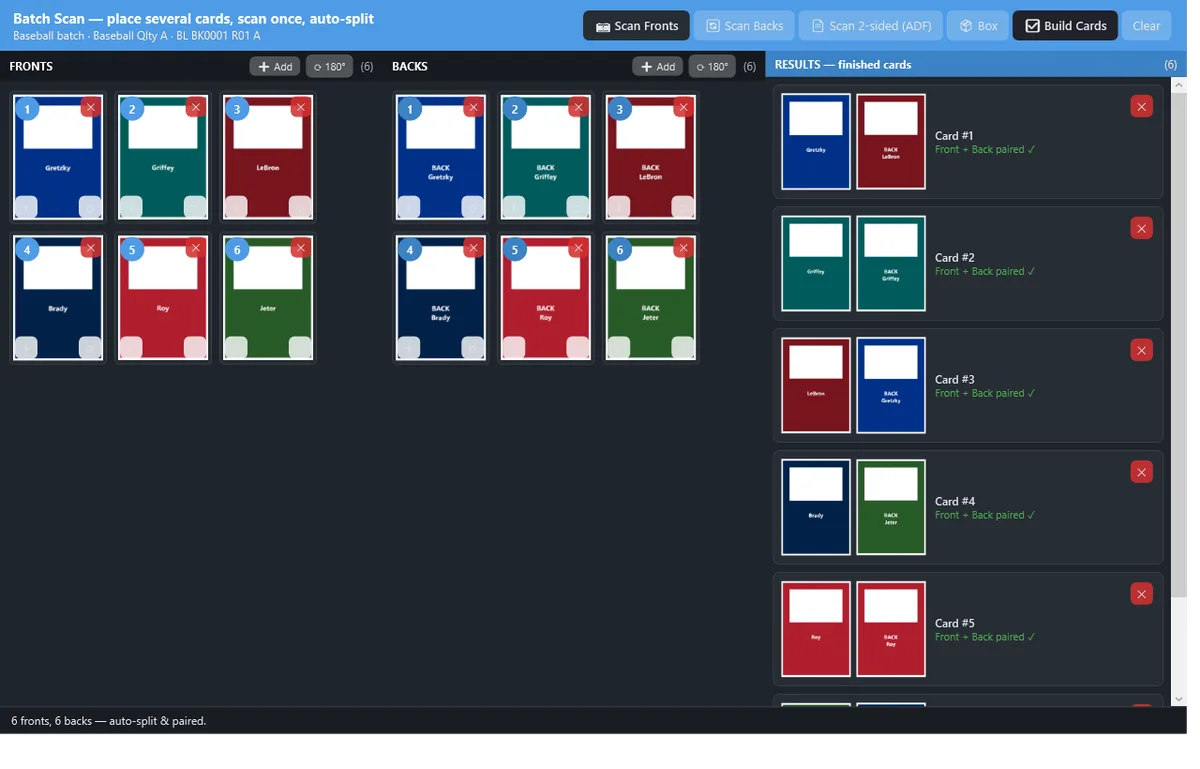
Escanea toda una bandeja de cartas de una sola pasada
Llena la bandeja del escáner y pulsa escanear una vez: la aplicación detecta, separa y recorta cada carta automáticamente, incluso una carta de borde blanco sobre una bandeja blanca.
- Más de 9 cartas por escaneo, con separación y recorte automáticos y un editor de esquinas para ajustes finos
- Escaneo a doble cara (dúplex/ADF): anversos y reversos en una sola pasada, emparejados por carta automáticamente
- Compatible con escáneres TWAIN estándar: planos populares (p. ej. Epson Perfection, Canon CanoScan LiDE) y ADF con controlador TWAIN (p. ej. Epson WorkForce/FastFoto, Brother ADS)
- ¿Sin escáner? Importa archivos de imagen o fotos en su lugar
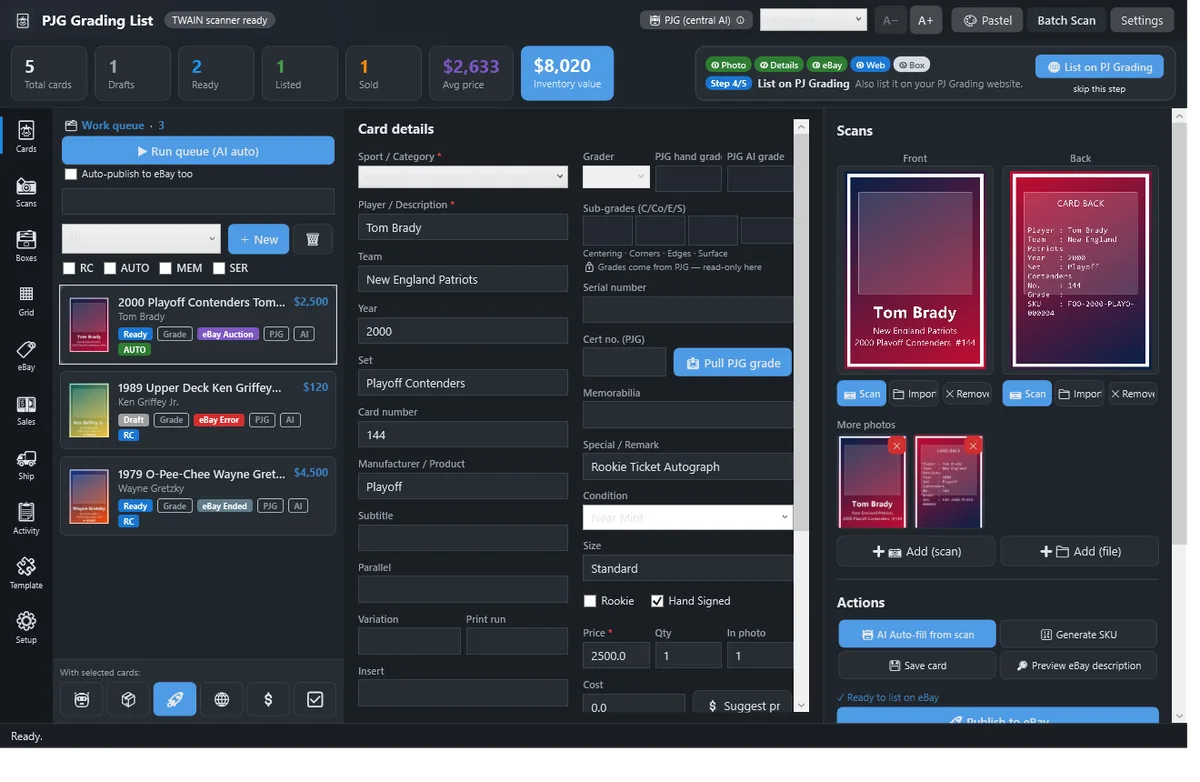
La IA completa los detalles de la carta por ti
Un solo inicio de sesión en PJG desbloquea la IA centralizada, sin claves de API que buscar. Lee tu escaneo, completa los detalles y estima un rango de precios para cada carta.
- Autocompleta jugador / año / set / número de carta / paralelo / estado a partir del escaneo
- Estimaciones de rango de precios más sugerencias basadas en ventas reales del marketplace de PJG
- Procesa una carta o toda la cola: reintenta solo las que fallaron
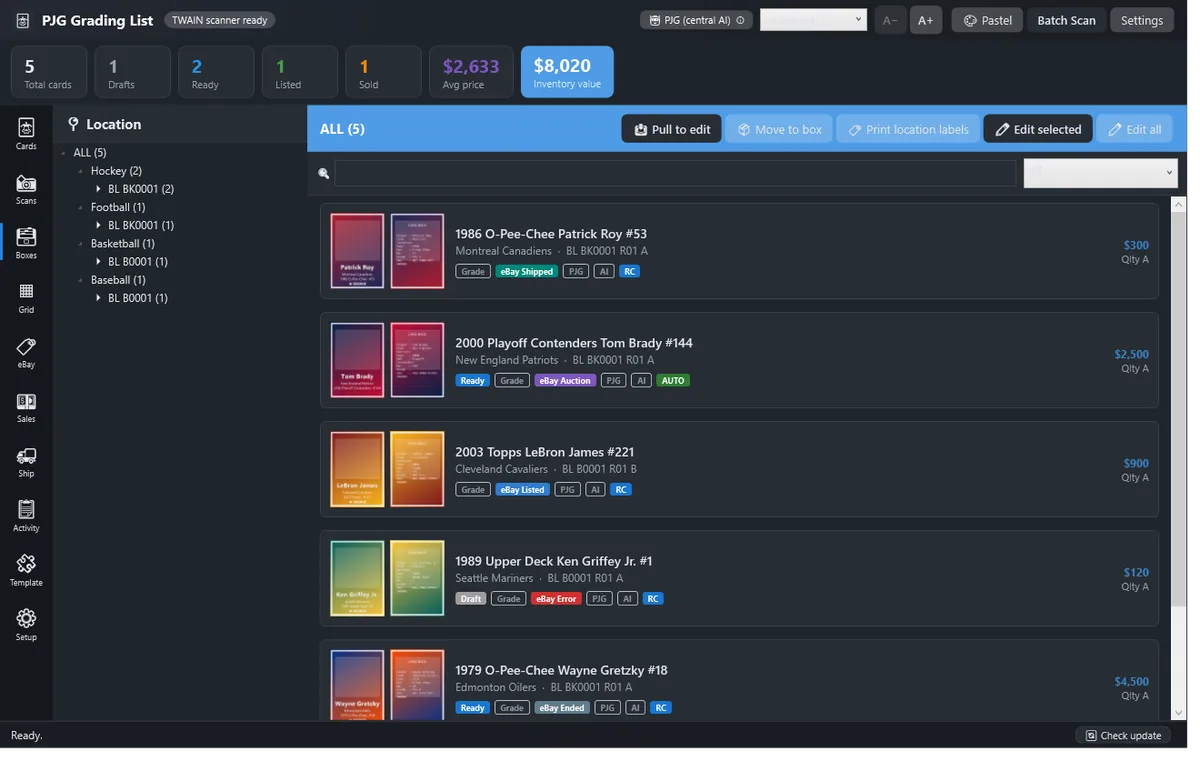
Un sistema de almacenamiento pensado para más de 10.000 cartas
Cajas → filas → ranuras, con la ubicación integrada en el SKU de cada carta. Cualquier carta vuelve a tus manos en segundos, y la aplicación sigue fluida más allá de las 10.000 cartas.
- Ubicaciones de caja-fila-ranura con etiquetas de ubicación imprimibles
- Busca por jugador, set, caja o SKU y salta directamente a la carta
- Ágil con más de 10.000 cartas: hecha para el volumen real de un distribuidor
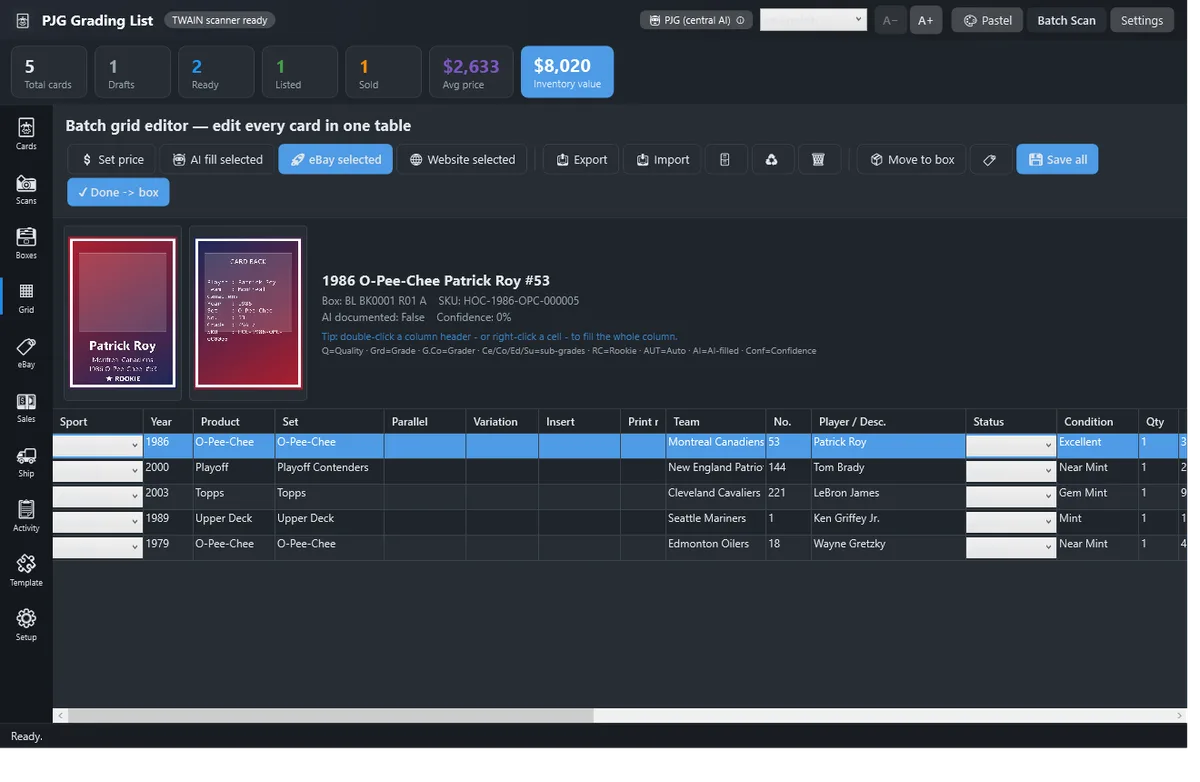
Vende en dos canales sin sobrevender
Publica en el marketplace de PJG y en tu tienda de eBay con un solo clic. Un control bidireccional contra la sobreventa retira una carta de un canal en cuanto se vende en el otro.
- Edita cientos de cartas por lotes en una cuadrícula tipo hoja de cálculo y publícalas en masa
- Control bidireccional contra la sobreventa, incluidas las cartas bloqueadas en una subasta en vivo de PJG
- Responde a ofertas de PJG y mensajes de compradores desde la propia aplicación
Y las herramientas que lo acompañan
Instala en 4 pasos
Requisitos del sistema
- Windows 10 u 11, 64 bits
- Autónoma: sin .NET ni otro runtime que instalar
- Escáner plano opcional (TWAIN): la importación de fotos funciona sin él
- Conexión a internet para las funciones de IA, eBay y marketplace
Aplicación gratuita, cuotas según el plan
La aplicación es gratuita, con escaneo y catalogación ilimitados. El autocompletado con IA y las cuotas de publicación siguen tu plan de membresía de PJG, la misma cuenta que usas en el sitio web.
Comparar planes →¿Listo para publicar más rápido?
Descarga la aplicación y pon tu primer lote en línea hoy mismo.
Descargar para Windows